
Press Play Symposium
Imagining seamless event direction physically and digitally.
Team | Solo Designer
Tools Used | Figma, Adobe InDesign, Adobe Photoshop
Timeline | 15 Weeks
Project Overview
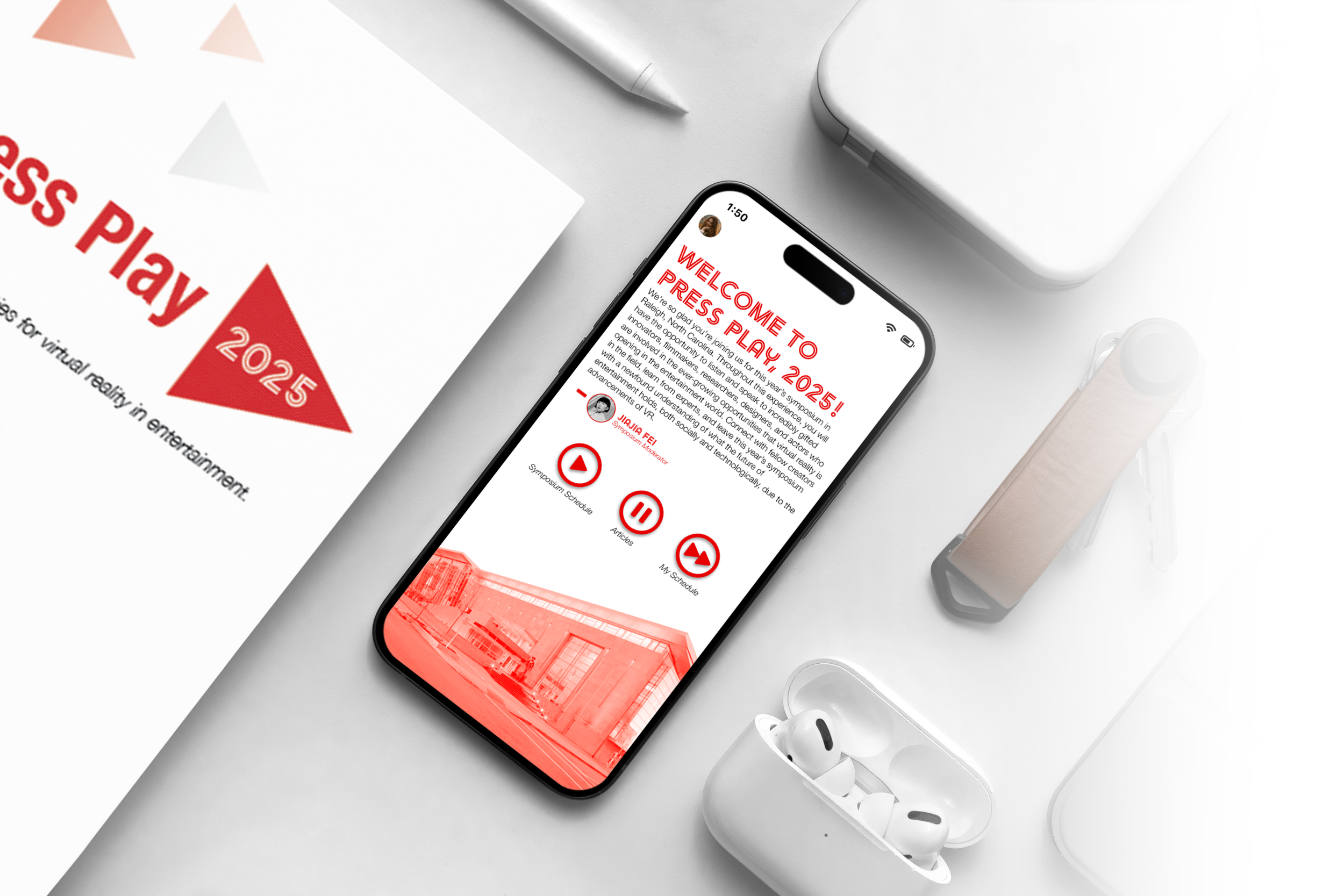
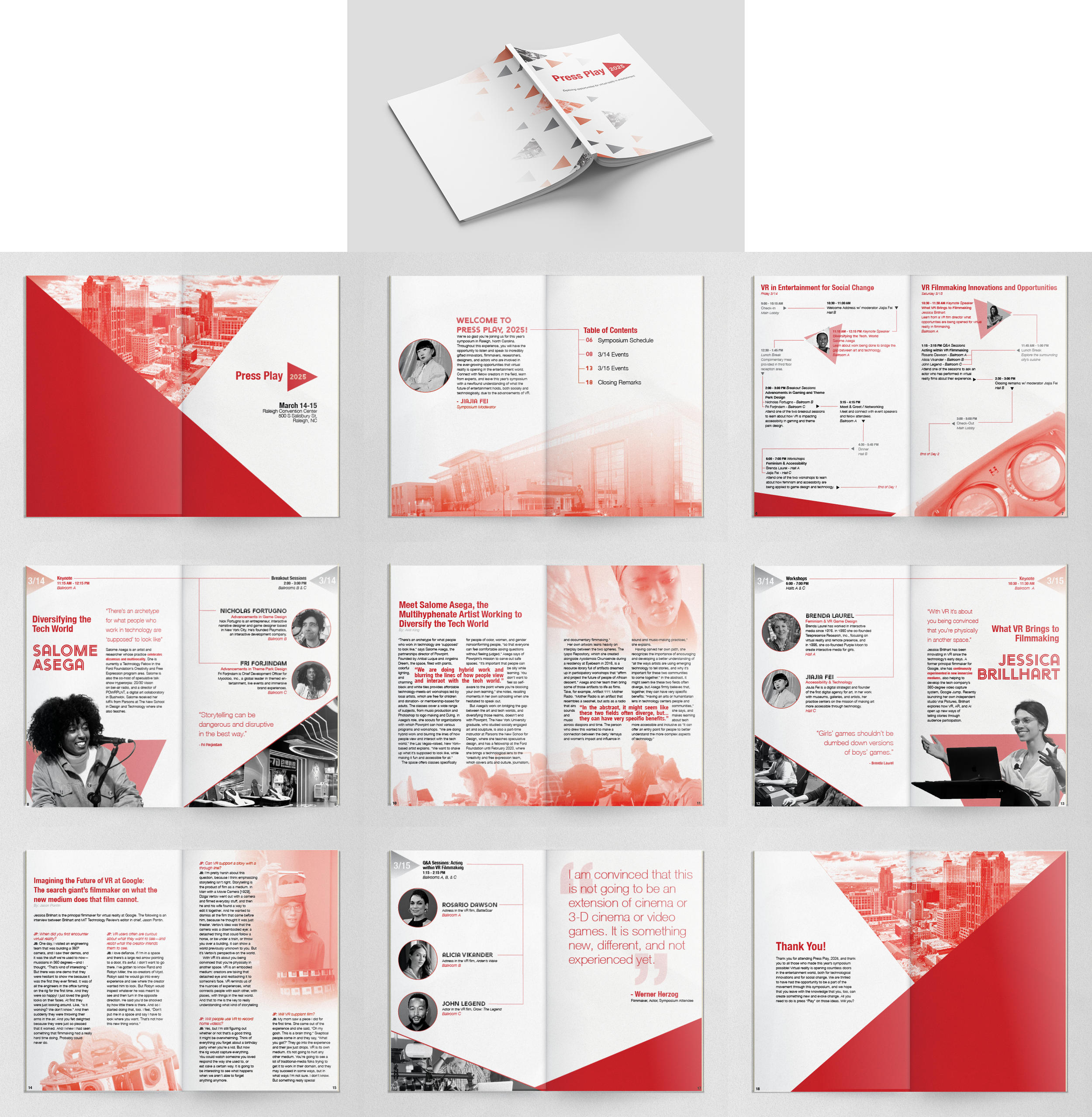
"Press Play, 2025” is a concept for a two-day symposium focusing on “exploring opportunities for virtual reality in entertainment”. This symposium has two accompanying products to help its guests navigate the speakers, events, and sessions taking place over the two days: an in-depth printed booklet and a personalizable mobile app.
-
The Problem
A multi-day symposium or conference can quickly become overwhelming for those attending. Thoughts about where to go next, remembering who is speaking when and where, and planning out what exactly to do over the days can become confusing and chaotic if no clear guidance is available for attendees.
-
The Solution
At the Press Play, 2025, attendees can be ready for every event at either the turn of a page or click of a button. By providing guests with a physical booklet that informs and a mobile app that caters directly to a user’s needs, all are able to easily learn everything they need to know about the symposium and its contents to make their experience as smooth and enjoyable as possible.
Research
Gathering Content
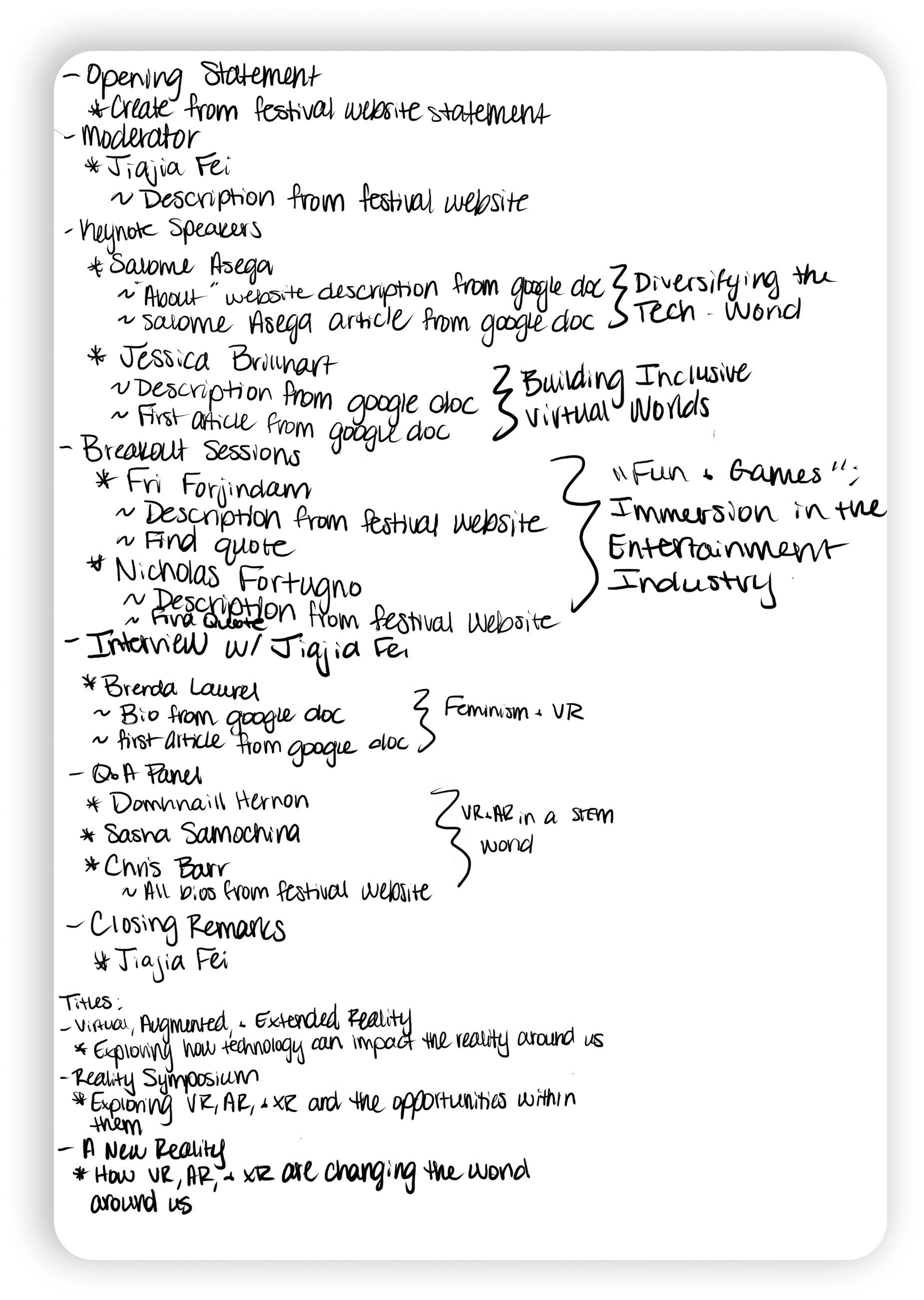
“Press Play, 2025” began by building the actual symposium schedule. I looked into notable figures related to the general theme to start gathering who would be speakers at the symposium and information about them and created event and session titles based on their descriptions. As the amount of speakers and content grew, Press Play started to take shape.
Early Concepts & Design Process
Booklet vs. App
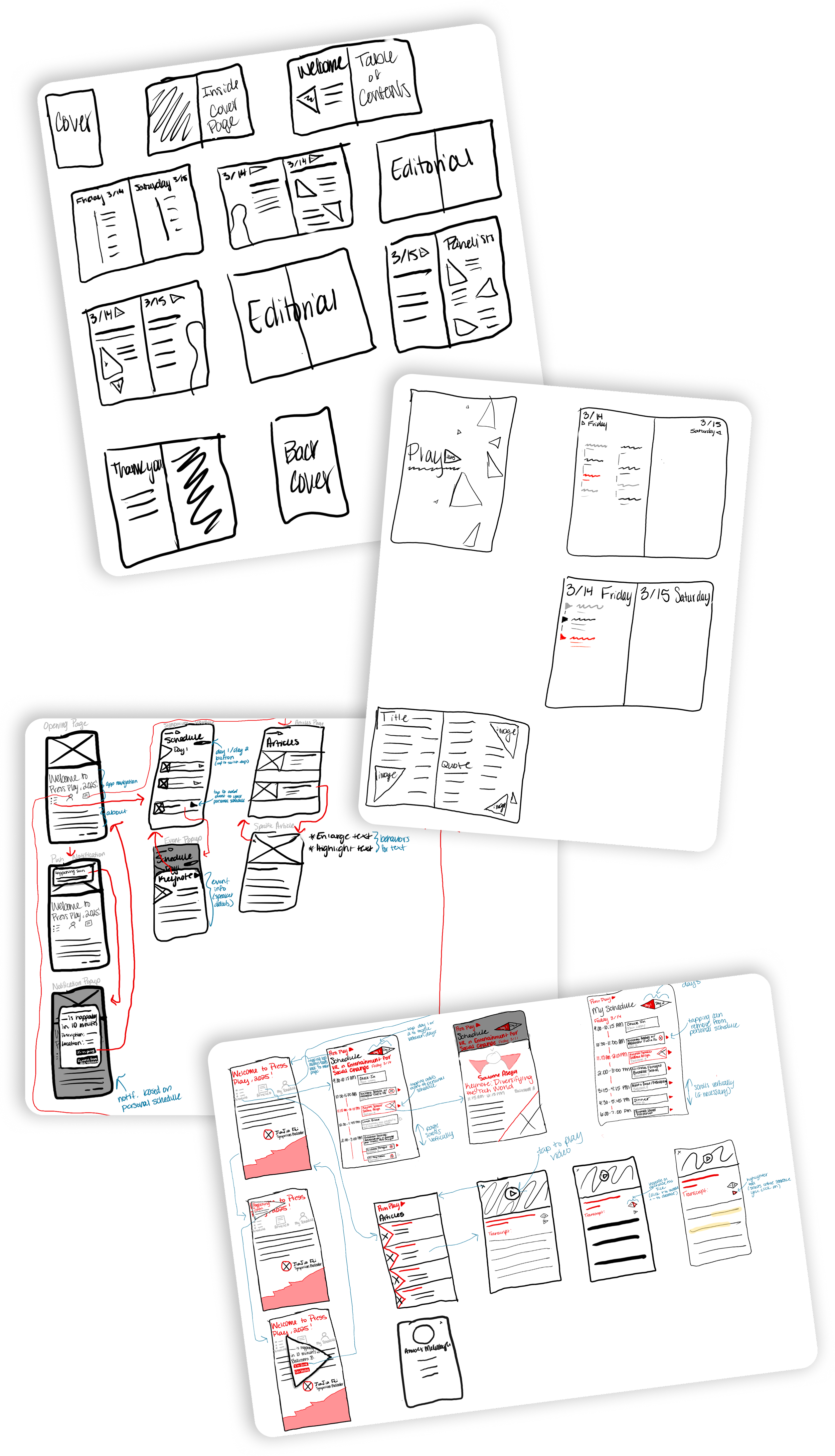
As I sketched initial ideations for the booklet and mobile app, I found that the most important aspect was consistency in the aesthetic or “brand” for the symposium. The booklet and app needed to feel like they belonged together and needed to support each other, but each also needed to take advantage of the affordances within their printed and digital realms. How could I make the booklet feel like a keepable artifact, but act like a useful guide? How could I make the app personalizable and highly interactive without the physical aspects of paper? And how could I make the two feel visually cohesive?
Final Products

Visual Identity
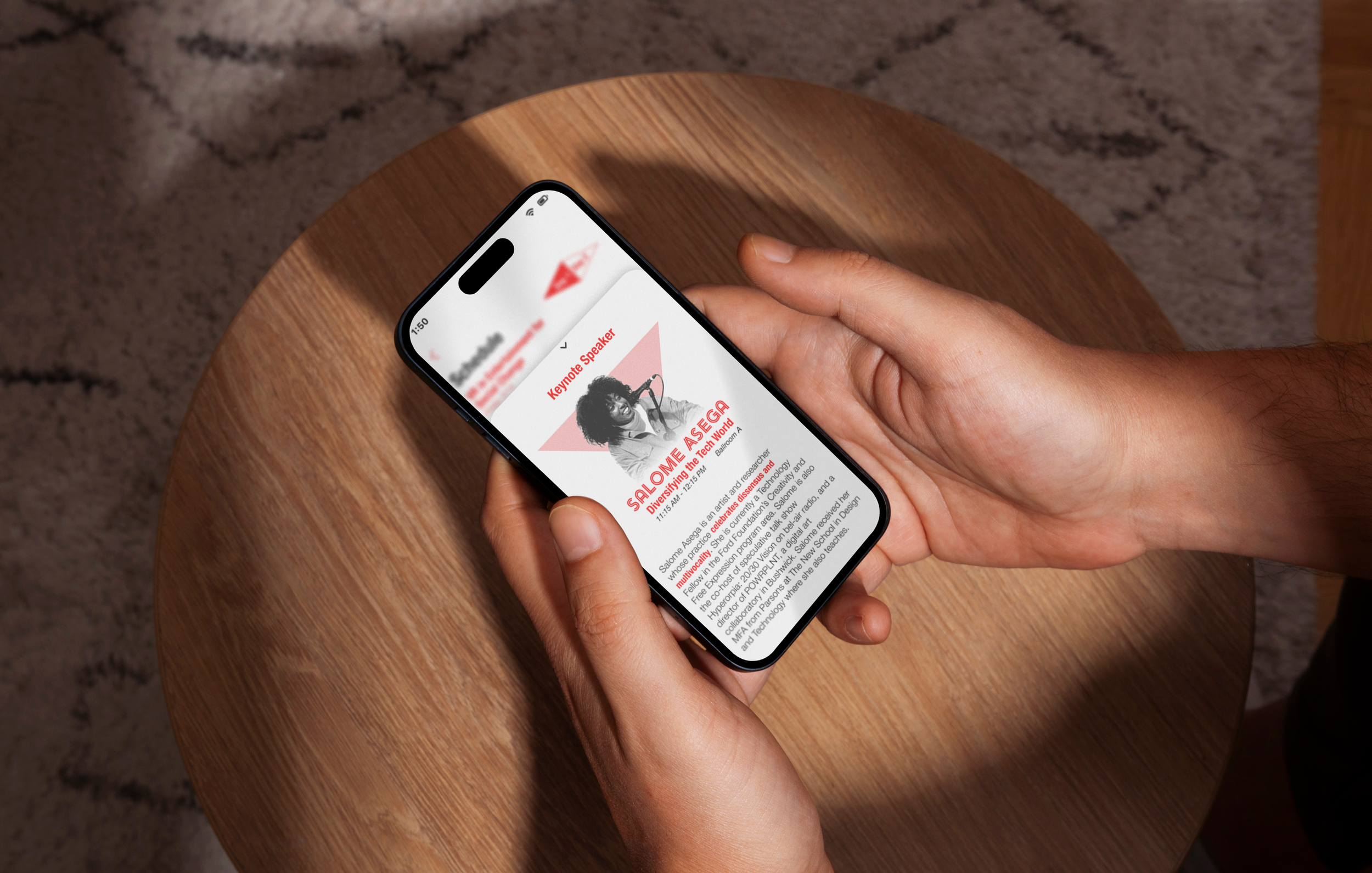
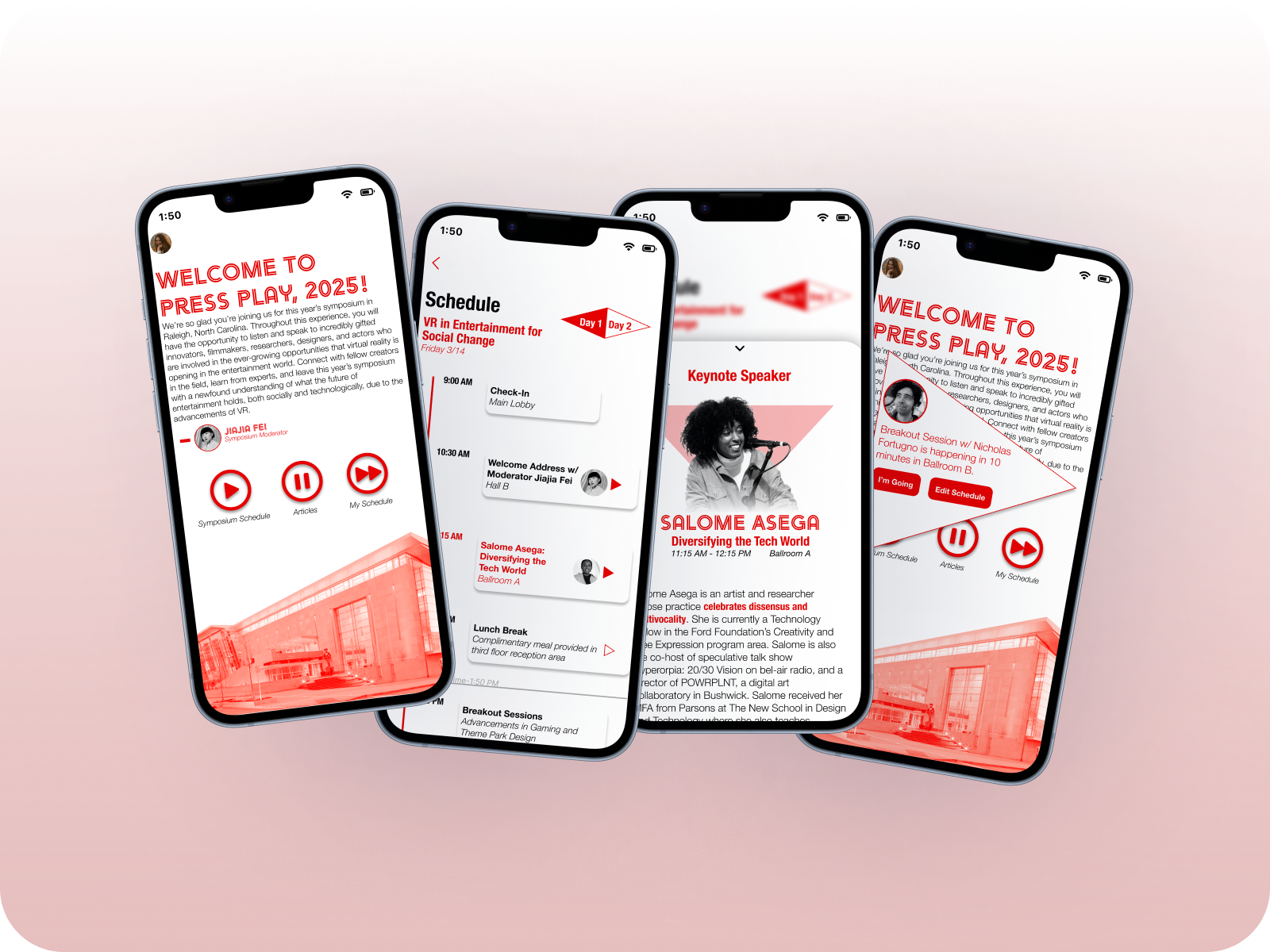
The implementation of a triangle motif across both the booklet and mobile app create a sense of cohesion between the two products, despite their different mediums. This triangle shape points to the idea of a play button, corresponding with the symposium’s theme.
Interactive & Personalizable App
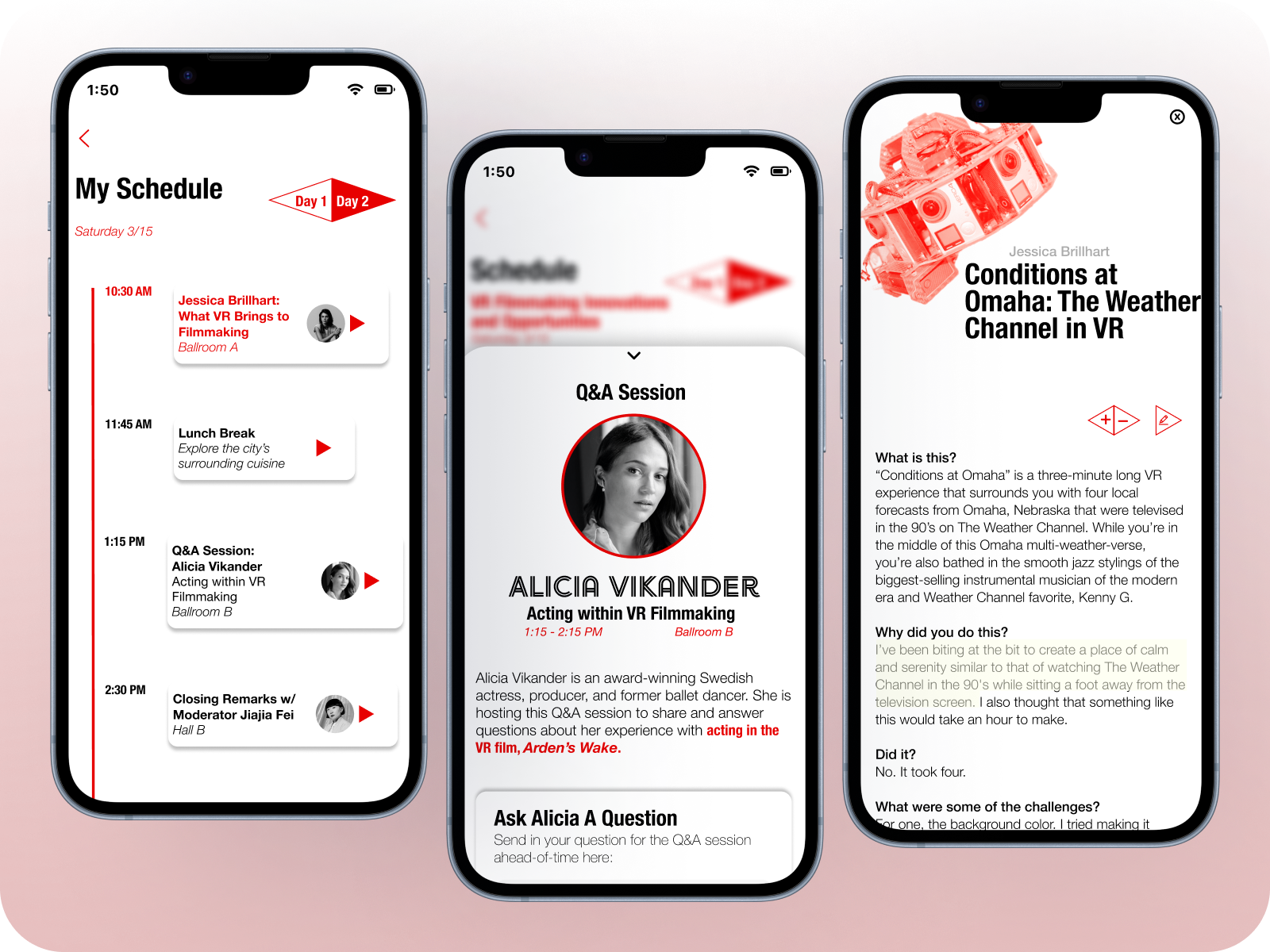
The ability to build a personal schedule, submit information, interact with text, and more according to a user’s preferences provides them with a sense of control and the comforting sense that the app can cater to their personal experience.