
Cherry.
Making personalized shopping feel effortless.
Team | Solo Designer
Tools Used | Figma
Timeline | 4 Weeks
Project Overview
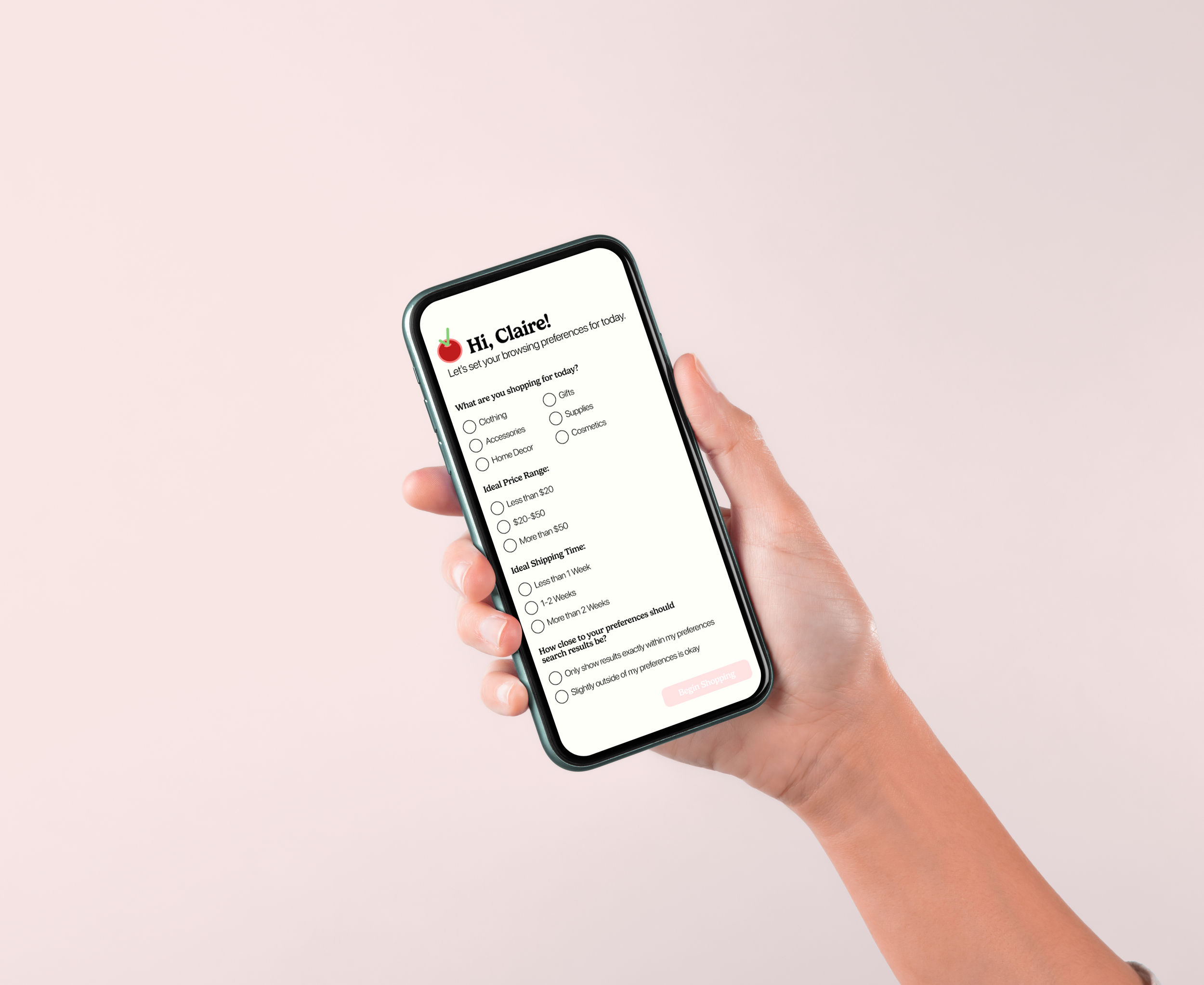
"Cherry" is a concept for a personalized shopping app that can be used to "cherrypick" products from across many different online stores based on the user's onboarding responses. The product results are based on the user's price preferences, delivery time preferences, and more, and are organized according to those preferences in order to create an easy-to-understand, highly personalized, and organized shopping experience.
-
The Problem
For young people who often shop online, the experience can turn into one filled with confusion. Too much going back and forth between platforms, fluctuating prices, no way to see products side-by-side, and the “cart” being the only way to store products they may be interested in buying later.
-
The Solution
Cherry strives to make online shopping into a personalized mobile experience. It takes user preferences into account to display products from across numerous online shops that match their needs and keeps potential purchases organized for limited confusion and maximum enjoyment.
Research
I interviewed two college-aged females who regularly shop online to get insight into their preferences. What they wanted to see more or less of, pain points, etcetera while shopping online. Some key quotes from them that defined my design process were. . .
“My biggest goal is to get what I want as fast as I can.”
— Anna M. | 21
“I like to shop for myself, but I’d like to get recommendations based on past purchases and preferences that I can set .”
— Anna M. | 21
“I mainly care about convenience and the best price, but I do love a good review.”
— Jenna M. | 19
“I often abandon purchases because shipping adds too much to the total price I see listed first.”
— Jenna M. | 19
Meet Claire
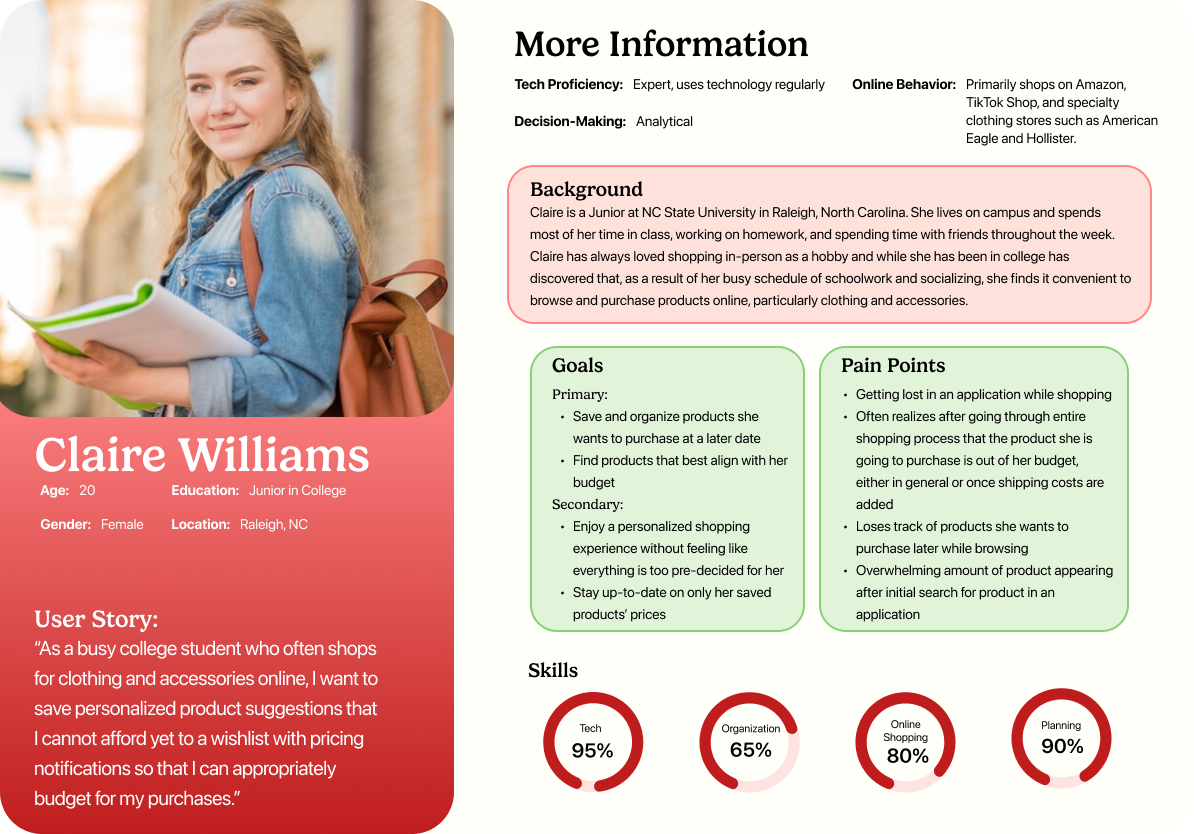
Based on my interview findings, Claire enjoys the process of shopping online and browsing herself, but wants to have a consolidated place where her potential purchases are organized according to her preferences. She’s budget-conscious and shops smartly.
Claire’s Journey
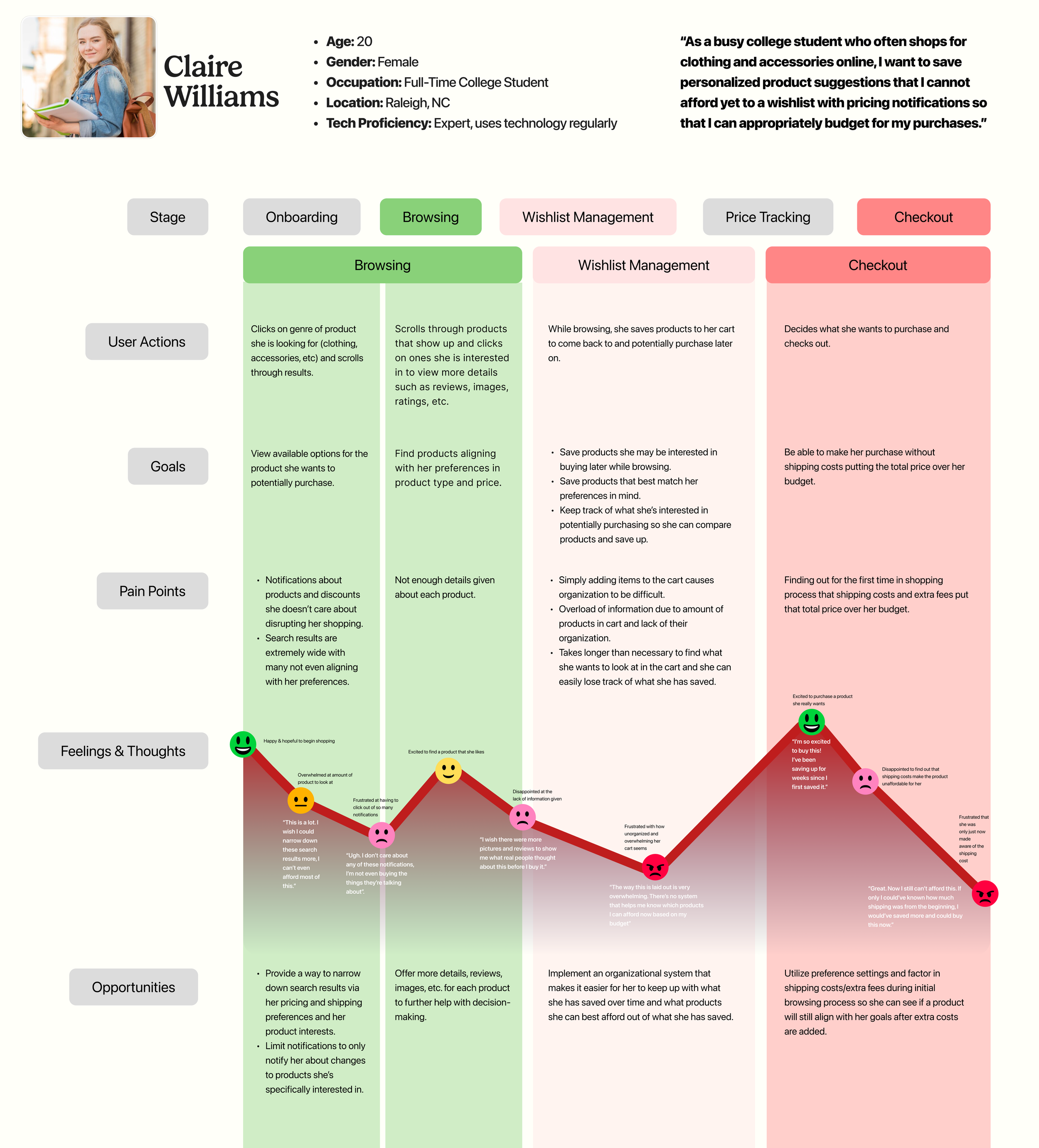
By mapping out Claire’s experience with existing shopping platforms, I found that the main focus areas for the new app needed to be implementing user preferences, building an organizational system for potential purchases, and building a system that clearly displays product changes and updates.
Defining the Solution
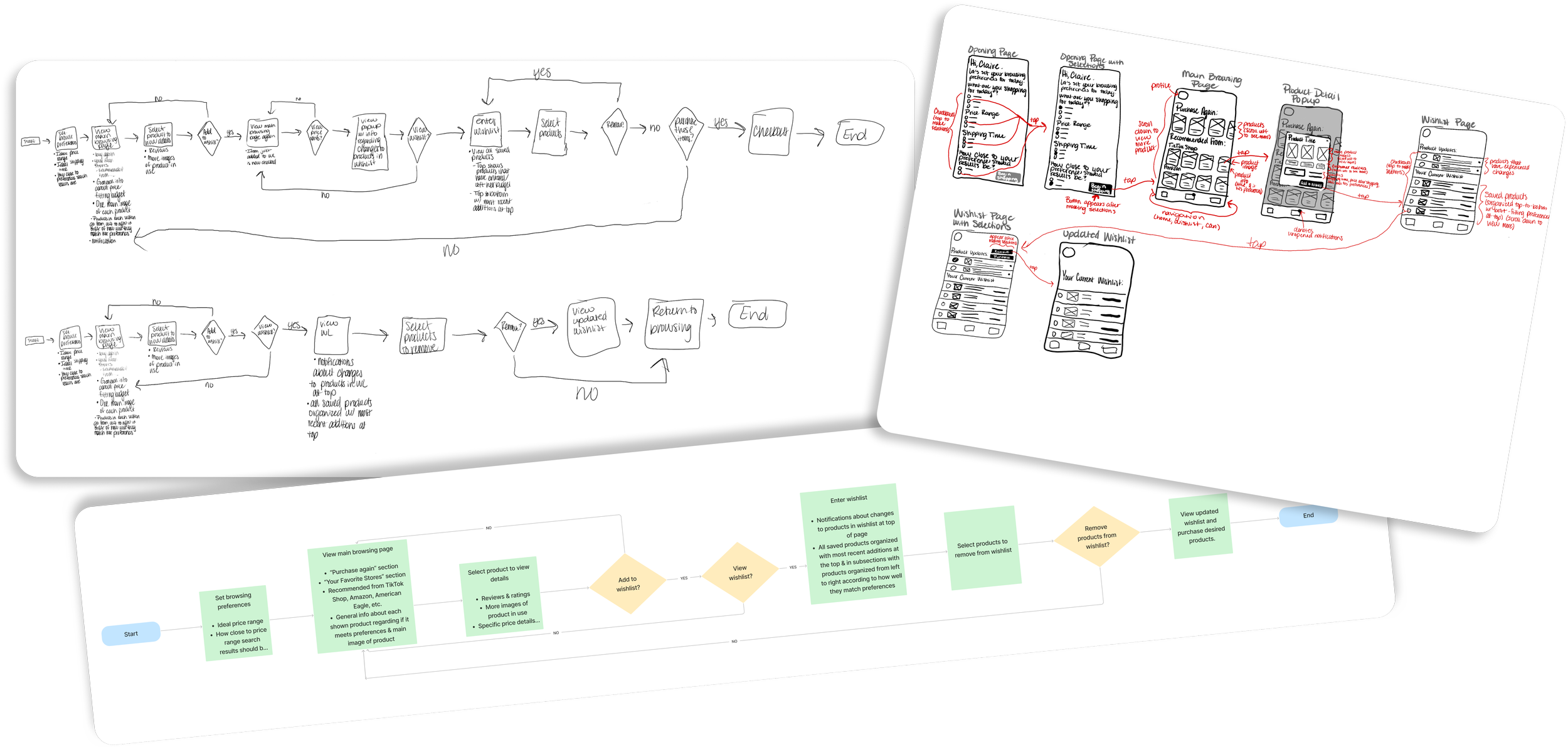
Through sketching potential user flows and early ideas of what the app could look like, “Cherry” slowly started to take form. I learned that the wishlist would be the most pivotal part of the flow as it serves as the hub for the user’s potential purchases based on preferences and past activity. As such, it needed to be organized and easy for a user to understand.
Usability Testing
After building a mid-fidelity prototype (above), I conducted usability testing with multiple individuals. They were each tasked with setting their preferences, finding a specific product, adding it to the wishlist, and editing the wishlist. The main takeaways from their testing experiences were. . .
Selection buttons could be enlarged for easier use
Wishlist sections could be differentiated more to improve clarity
Spread out information to decrease crowding
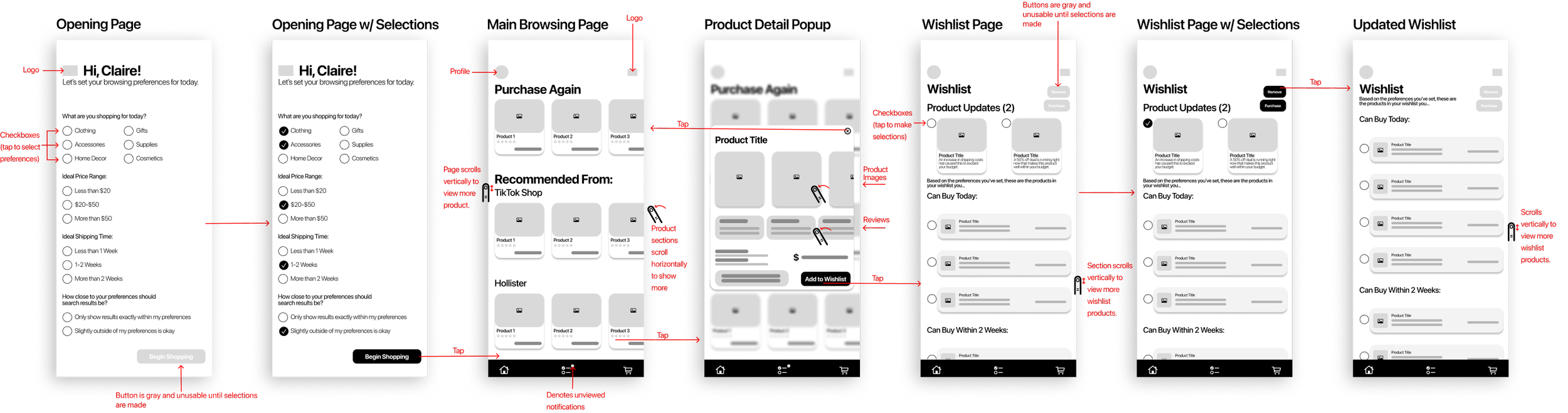
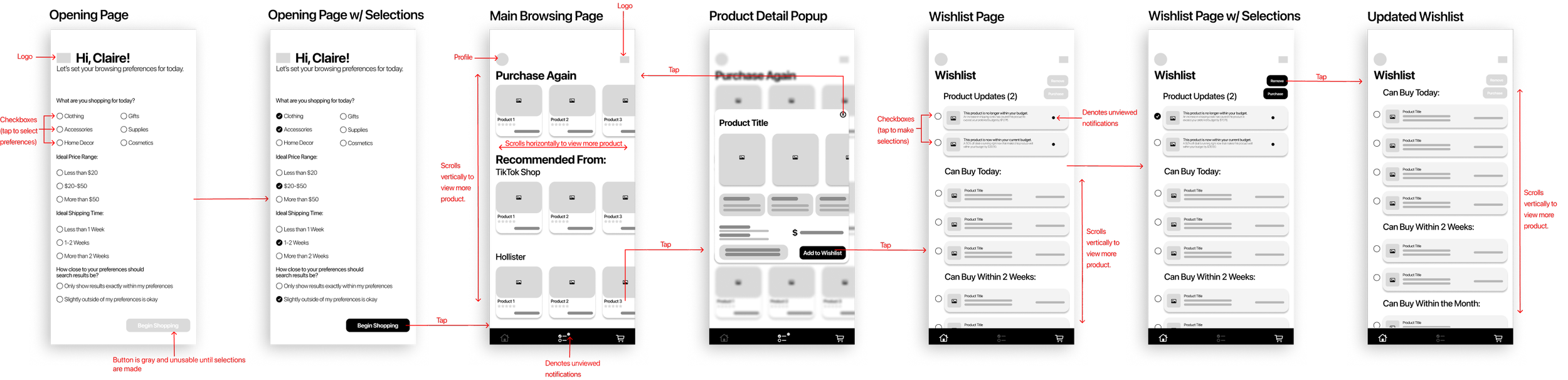
The changes were small, but made a huge impact on clarity, usability, and overall enjoyment of the application.
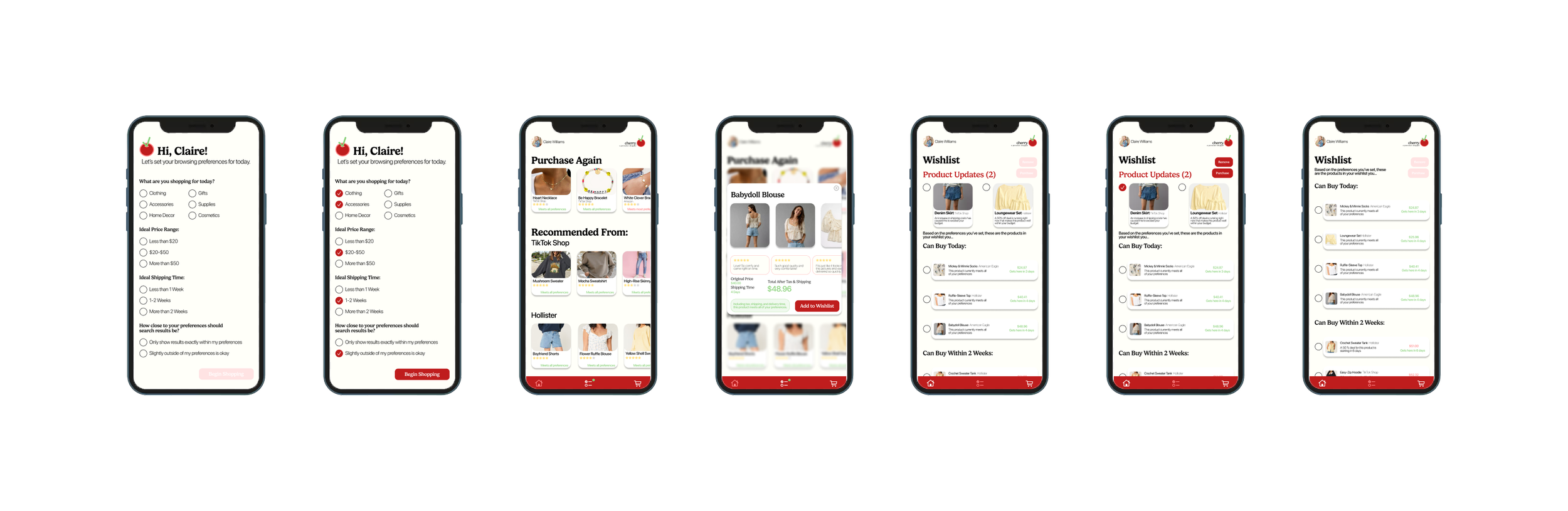
Final Product
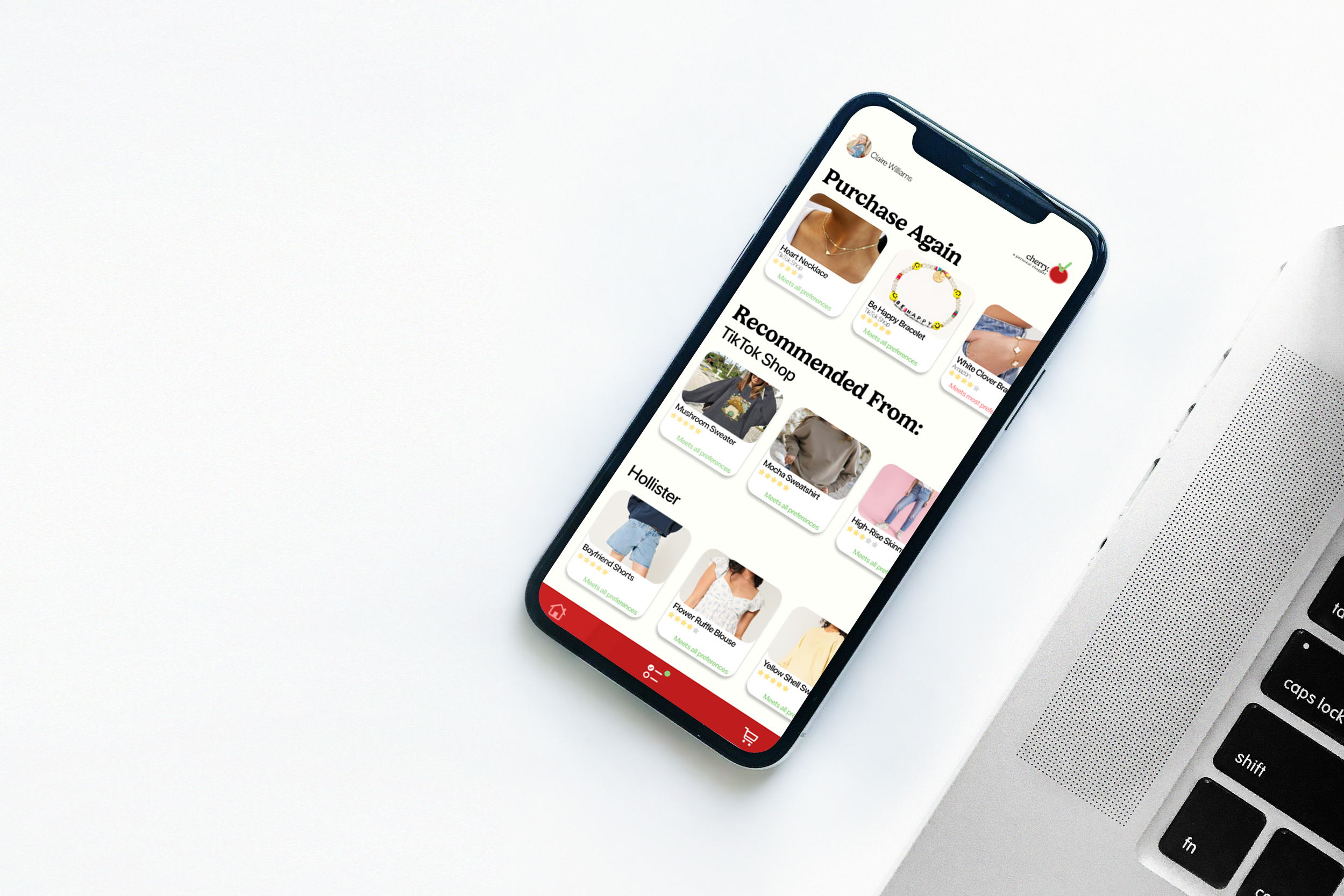
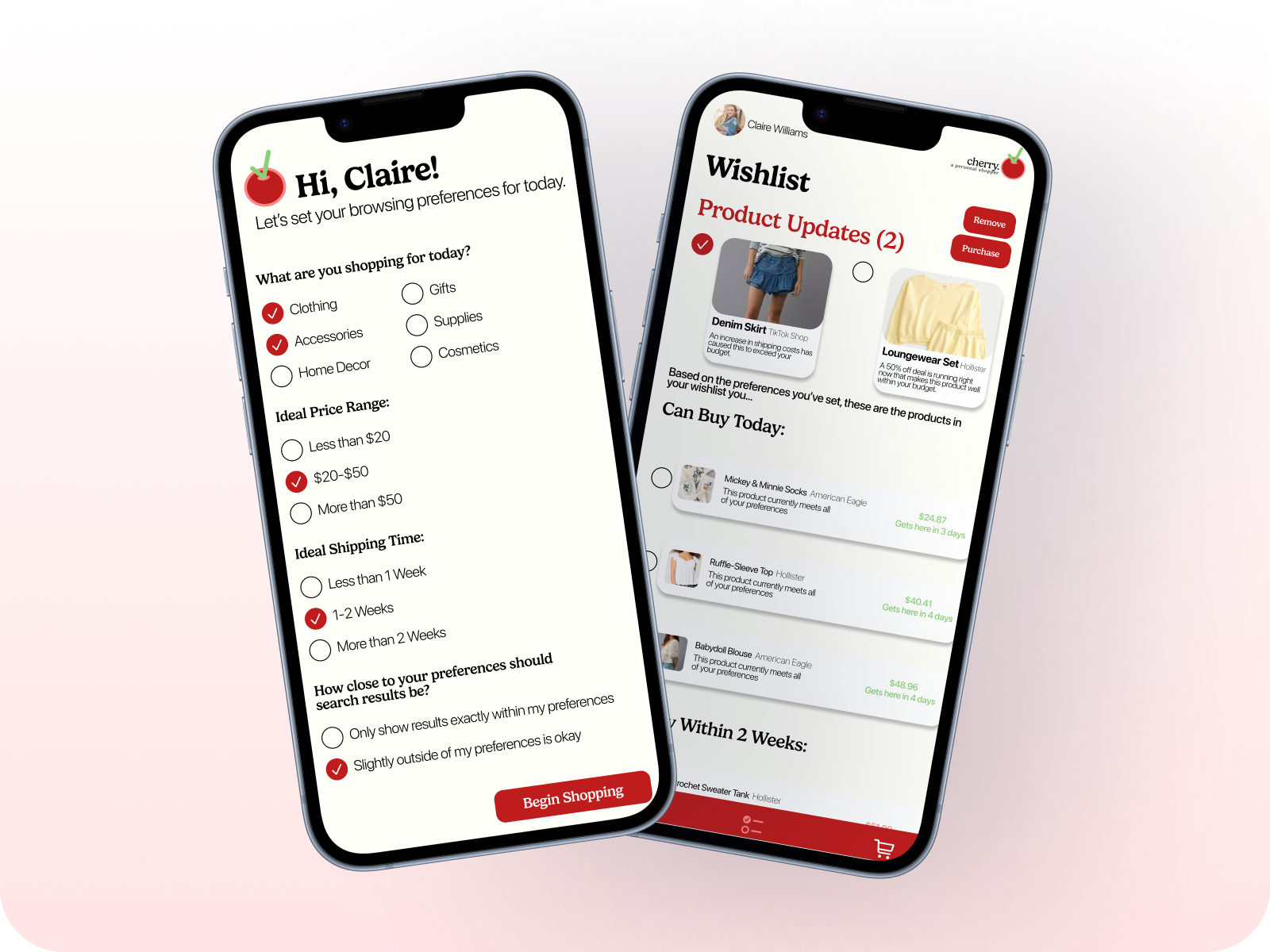
Personalizable & Organized
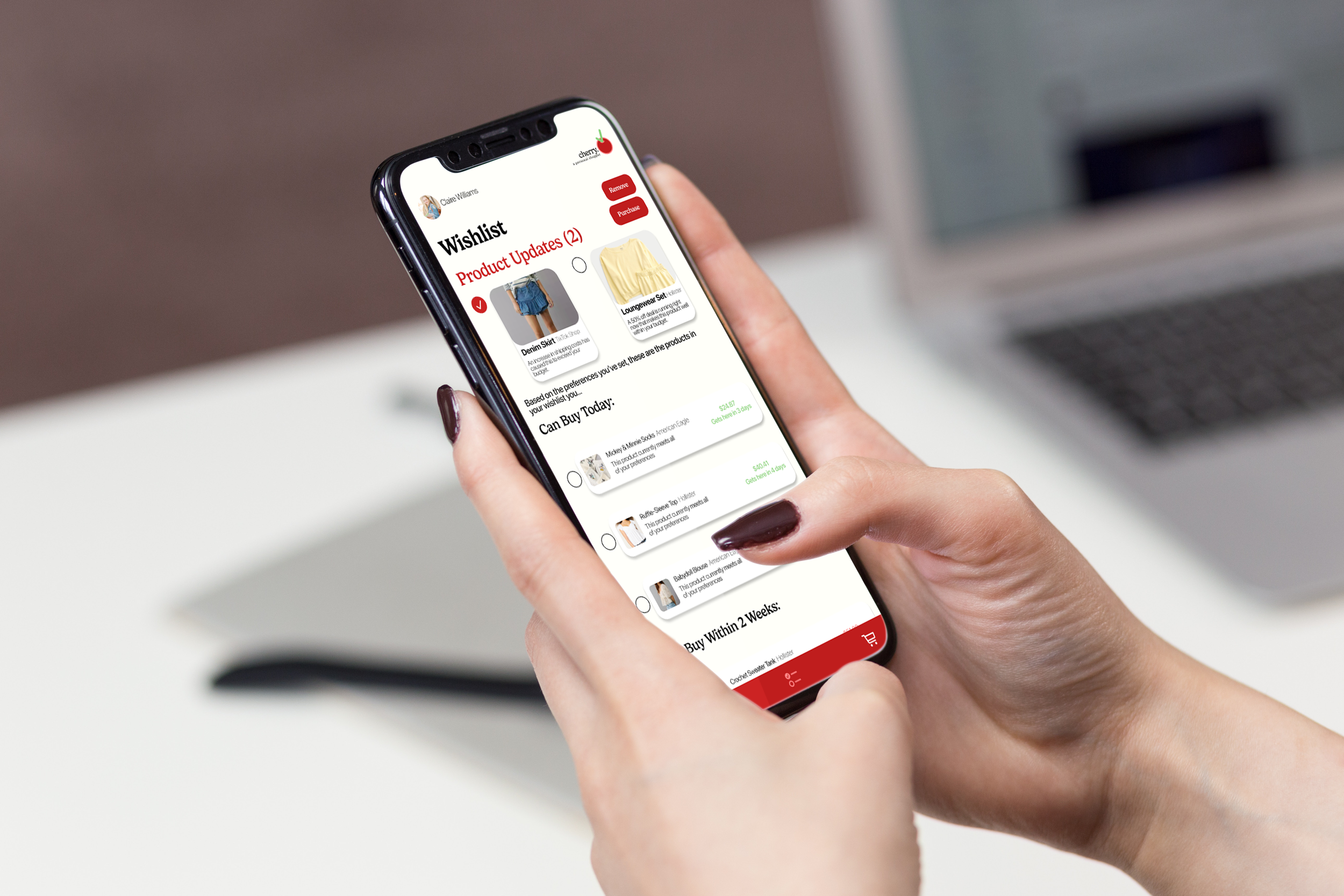
By asking for user browsing preferences before the shopping experience even begins, Cherry ensures that shoppers won’t be overloaded with information while still getting to see a robust list of products curated to their specific desires. The regularly updating and personalized wishlist also keeps track of what a user might be able to buy and when based on their preferences, keeping all potential purchases organized and in one spot (that isn’t just the “cart”).
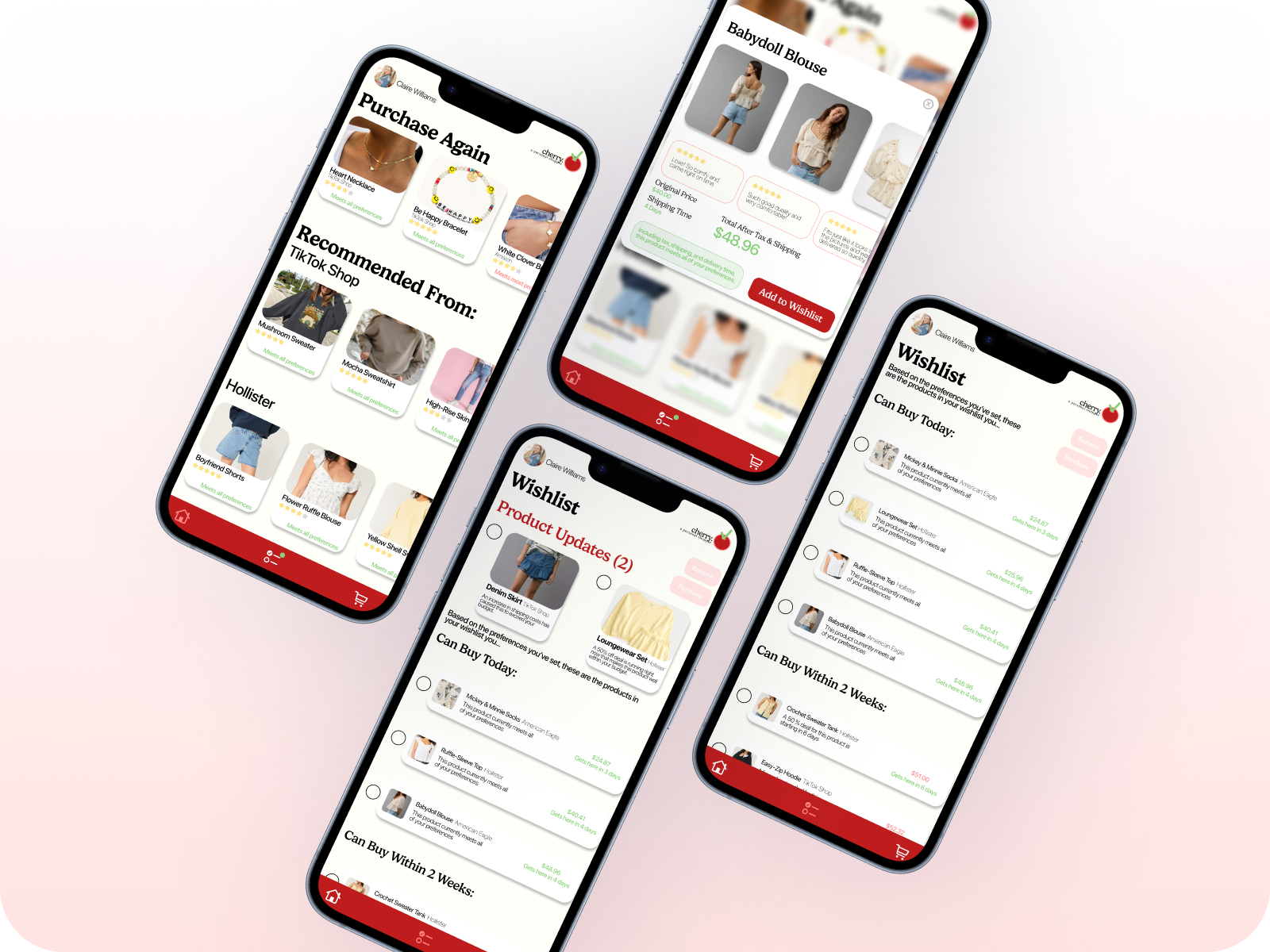
Shops with, not for users.
Cherry does the hard part of online shopping for users, such as remembering past purchases and what they’ve looked at, calculating the real prices once fees are added, finding real reviews, and keeping track of price updates, deals, and timelines. That data is turned into an easy-to-understand format so that all the fun stuff that shoppers love; the browsing and picking out what to buy, is left for the user to enjoy without a worry in the world.